
Looking for an Options Trading Journal? Here Are 10 Things You Should Know
Updated Corey
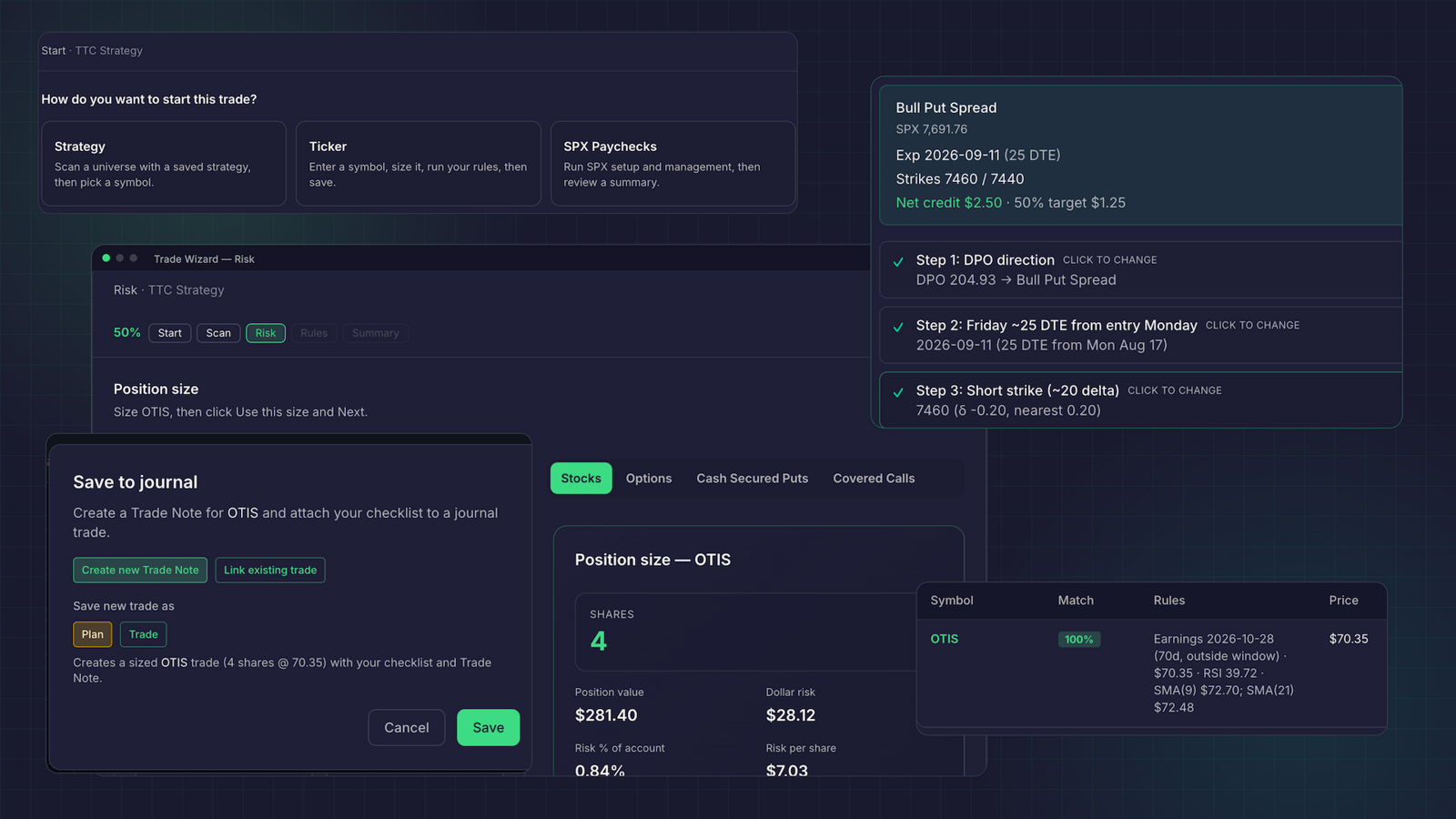
An options journal should help you understand more than whether a trade made or lost money. It should preserve the details behind the decision: the contracts you traded, the strategy you followed, your risk, and what happened after entry.
Use these 10 checks to compare options trading journals before you commit. The goal is to find a tool that fits your process, not simply one with the longest feature list.
1. Check that position sizing accounts for contracts
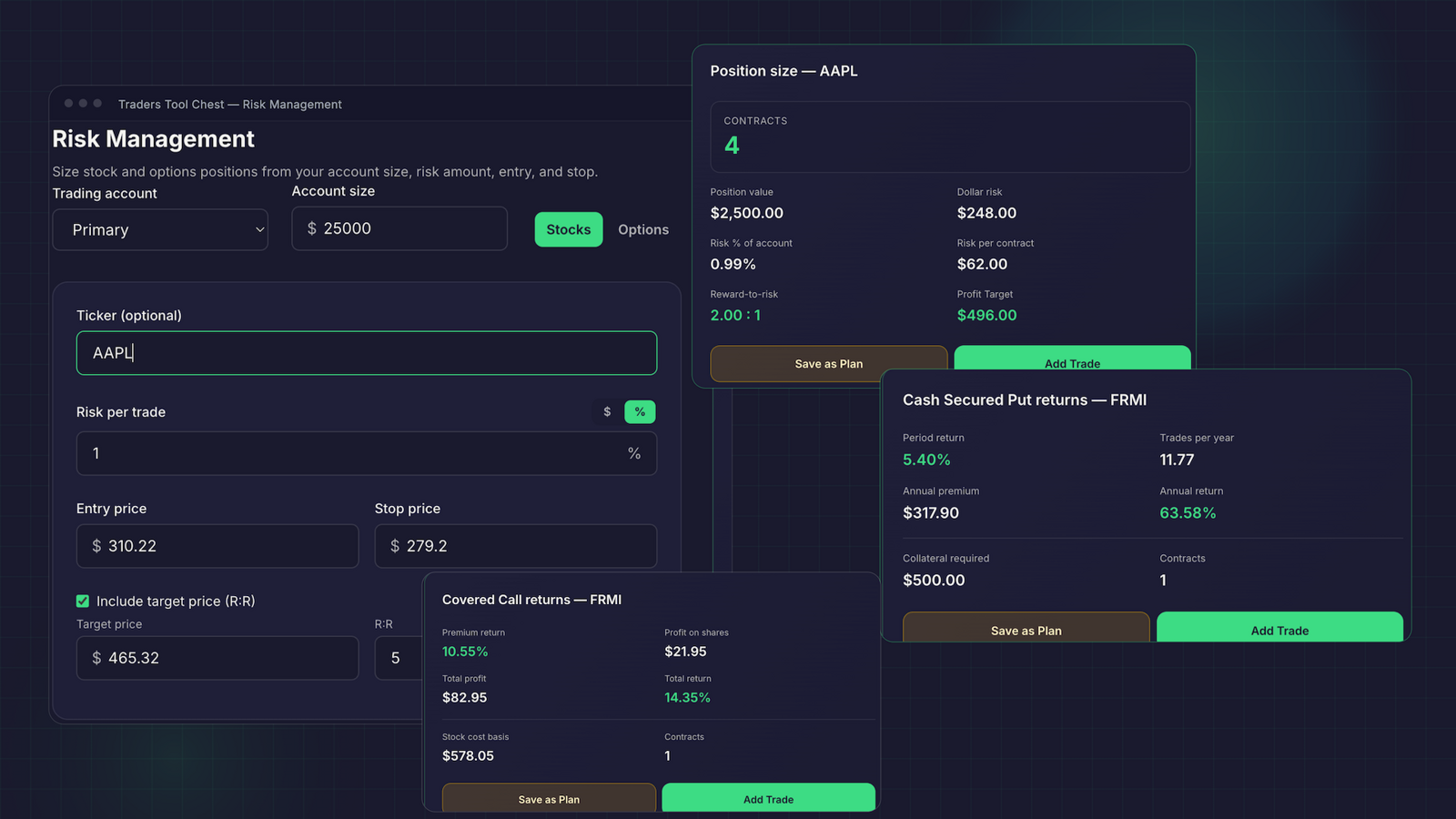
A stock position and an options position don’t use the same unit of risk. A journal that only counts shares may leave you doing contract math in a separate spreadsheet.
Check whether you can define your account size and risk, enter contract details, and see the resulting position size before you commit capital. Also check whether the tool supports the strategies you use. Cash-secured puts and covered calls, for example, have different capital and position considerations from buying a call or put.
Traders Tool Chest includes options position sizing in Pro and Premium. The risk management guide explains the available inputs and workflows. The calculator supports planning; you still choose the trade and place orders with your broker.
2. Verify that the journal can follow a complete Wheel cycle
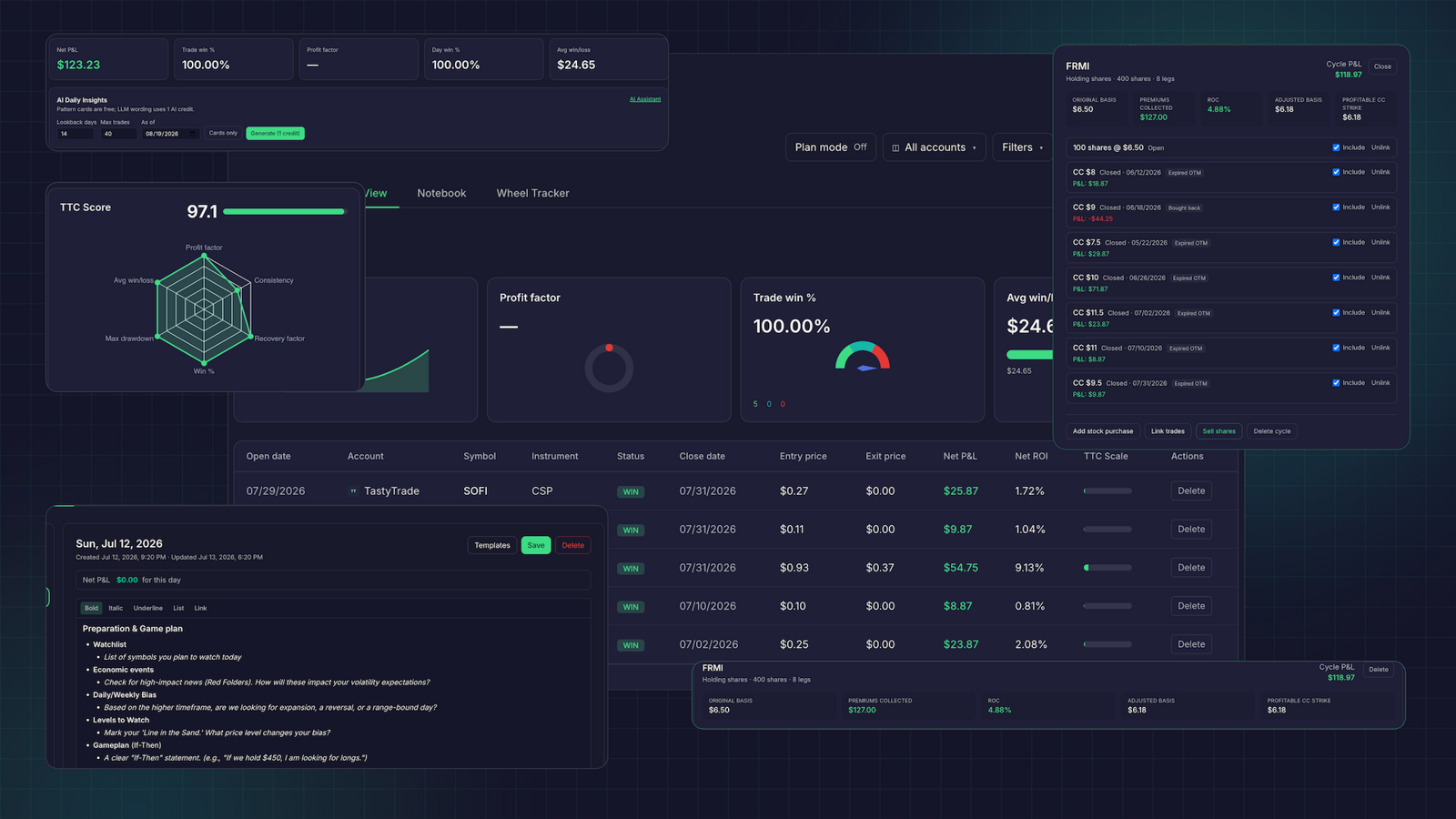
If you trade the Wheel, a short put, assignment, stock ownership, and covered call shouldn’t disappear into unrelated records. Ask how the journal connects those steps and accounts for premiums and adjusted cost basis across the cycle.
A useful test is to enter one example from start to finish: sell a cash-secured put, get assigned, sell a covered call, then get called away. Check whether you can review the cycle as a whole and understand how the premiums and assignment affected your results.
Traders Tool Chest’s Wheel Tracker connects Wheel cycles in the journal, keeping premiums, assignments, and adjusted cost basis together. Wheel tracking is included with Premium; Pro users can add the Wheel Tracker separately. Check the current plan details before subscribing.
3. Confirm broker sync works with your account
Manual entry gives you control, but it can also add friction. If you rely on imports, confirm that the journal supports your specific broker, account type, and options activity. Ask how it handles fills, fees, assignments, expirations, and duplicate records. Don’t assume a broker connection covers every account or transaction type.
Traders Tool Chest supports automated journal syncing through SnapTrade, with broker and account availability varying. Check that your broker is supported before relying on the connection. Syncing brings trade activity into your journal; it doesn’t place orders for you. You continue to trade through your broker.
4. Look for a way to review your rules, not just your P&L
A journal becomes more useful when you can compare what you did with the plan you intended to follow. Check whether it connects trades to a named strategy and gives you a way to record or review rule adherence. This can help distinguish a strategy result from a process mistake.
In Traders Tool Chest, you can connect journaled trades to saved strategies. The Trade Wizard also guides you through reviewing strategy rules as you build a plan. Rule checks help organize your process; they don’t make a decision for you or guarantee that every rule was followed.
5. Make sure you can preserve the context behind each trade
The contract, entry, and exit explain part of a trade. Your reason for entering, the setup, the management decision, and any adjustment explain more. Look for a journal that lets you keep notes and relevant strategy context with the trade, rather than scattering them across documents and screenshots.
Traders Tool Chest connects the journal to strategy rules and supports trade notes and review. That makes it easier to revisit the original setup alongside the recorded result.
6. See whether replay can help you review the trade
Trade Replay lets you step through historical candles around a journaled trade. It can help you revisit what the underlying price did and compare that context with your entry and management decisions.
Before choosing a replay tool, check what it actually replays. Traders Tool Chest’s Trade Replay is a historical candle review feature. It is not a promise of tick-by-tick options data or a substitute for your preferred charting tool. Replay is available on Pro and Premium.
7. Treat AI insights as a review aid, not a trading authority
AI features can help surface patterns that take time to notice across many trades. For example, Traders Tool Chest AI Insights can flag habits such as oversizing or discipline drift for further review.
Check what information the AI can access and whether you can verify its observations against your journal. Use the result as a prompt to inspect your records, not as a signal to enter or exit a trade. Traders Tool Chest also offers AI tools with included usage credits on Pro and Premium; see the pricing page for plan details.
8. Ask what “backtesting” actually tests
Backtesting can help you examine saved strategy rules against historical data before you decide how to use them. Check which rules, timeframes, and assumptions the tool uses, and whether the results include measures such as drawdown and expectancy.
Traders Tool Chest can run saved strategy rules against historical candles, with backtesting available on Pro and Premium. Keep the scope in mind: testing price-based strategy rules on historical candles is not the same as modeling every option contract, fill, or Greeks scenario. Past results also don’t predict future performance.
9. Consider how you find setups before they reach your journal
Some journals focus mainly on recording and reviewing trades after the fact. If you want one workflow from idea discovery through post-trade review, check whether your tools can share strategy rules and trade details instead of making you rebuild them by hand.
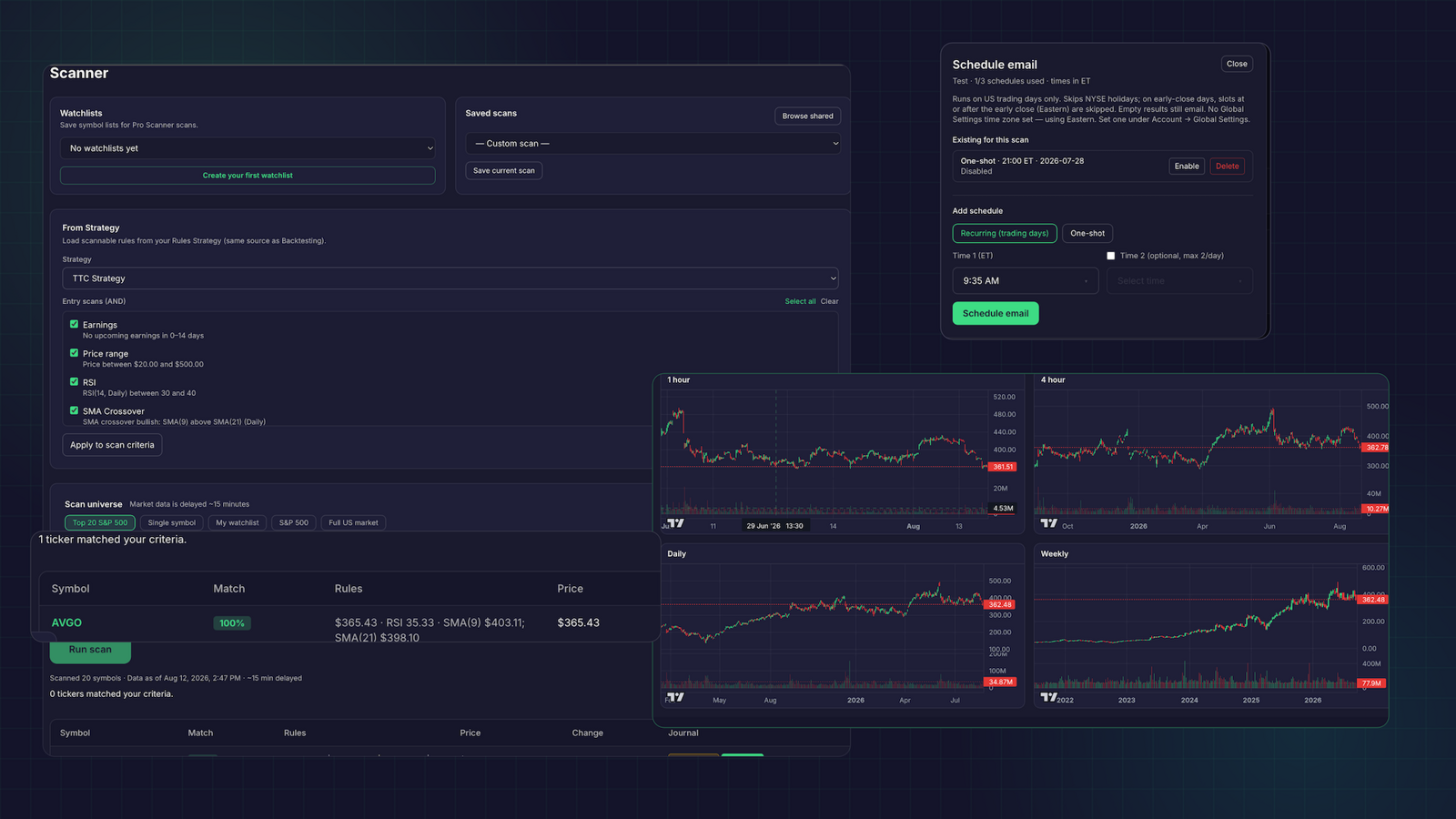
Traders Tool Chest’s Scanner can apply saved strategy rules across the US market, including a full-market universe of 10,000+ tickers on Premium. Pro users can add full-market scanning. Market data is currently about 15 minutes delayed, so the platform is built for planning and review, not scalping or sub-minute execution.
10. Check whether the tools connect into one workflow
A scanner, calculator, plan, and journal can each work well on their own. But if they don’t share information, you may still need to copy trade details, update spreadsheets, and reconnect results to your strategy.
Traders Tool Chest connects Strategy, Scanner, Risk Management, Trade Wizard, and Journal. You can define rules, scan for matching setups, prepare and size a plan, review the trade, then keep the result in your journal. You stay in control of every decision, while the information stays connected.
Compare the job you need done
Trading journals take different approaches. TradeZella describes journaling, analytics, and replay tools; Edgewonk focuses on journaling and performance review; Tradervue offers trade imports and reporting; TraderSync provides options-focused journal information; and Journali presents options-specific tracking and broker-sync features. Review each provider’s current feature and pricing pages, then test the workflow you need. Product details can change.
Start with the task you need to solve: options position sizing, a complete Wheel record, broker imports, rule review, or broader pre-trade planning. You can also compare Traders Tool Chest with TradeZella, Edgewonk, and Journali. For the other products, see TradeZella’s options journal, Edgewonk’s plans, Tradervue’s pricing and features, TraderSync’s options journal, and Journali’s options features.
Final checklist: verify these before subscribing
- Confirm that options position sizing uses contracts and supports your strategy type.
- Test whether a Wheel cycle keeps premiums, assignments, and adjusted cost basis together.
- Check broker and account support, including how options activity imports.
- Confirm that journal entries connect to your saved strategies and rule reviews.
- Try replay and AI review features with your own records.
- Verify what the backtest models and what it leaves out.
- Check market coverage, data delay, plan limits, and total monthly cost.
- Make sure the connected workflow fits how you actually trade.
Traders Tool Chest Pro costs $60 per month and includes options planning, options risk management, backtesting, Trade Replay, AI tools with usage credits, and trade import. Premium costs $120 per month and adds full-market scans, options-income planning, and Wheel cycle tracking. Some features are available as Pro add-ons. See the pricing page for current inclusions.
A journal can organize your process and make review easier. It cannot guarantee profitable trading. Options involve risk, and every trading decision remains yours. Traders Tool Chest provides software, not investment advice or a recommendation to buy or sell any security.