
Position Sizing Rules: Applying the 1% Rule to Stocks and Options
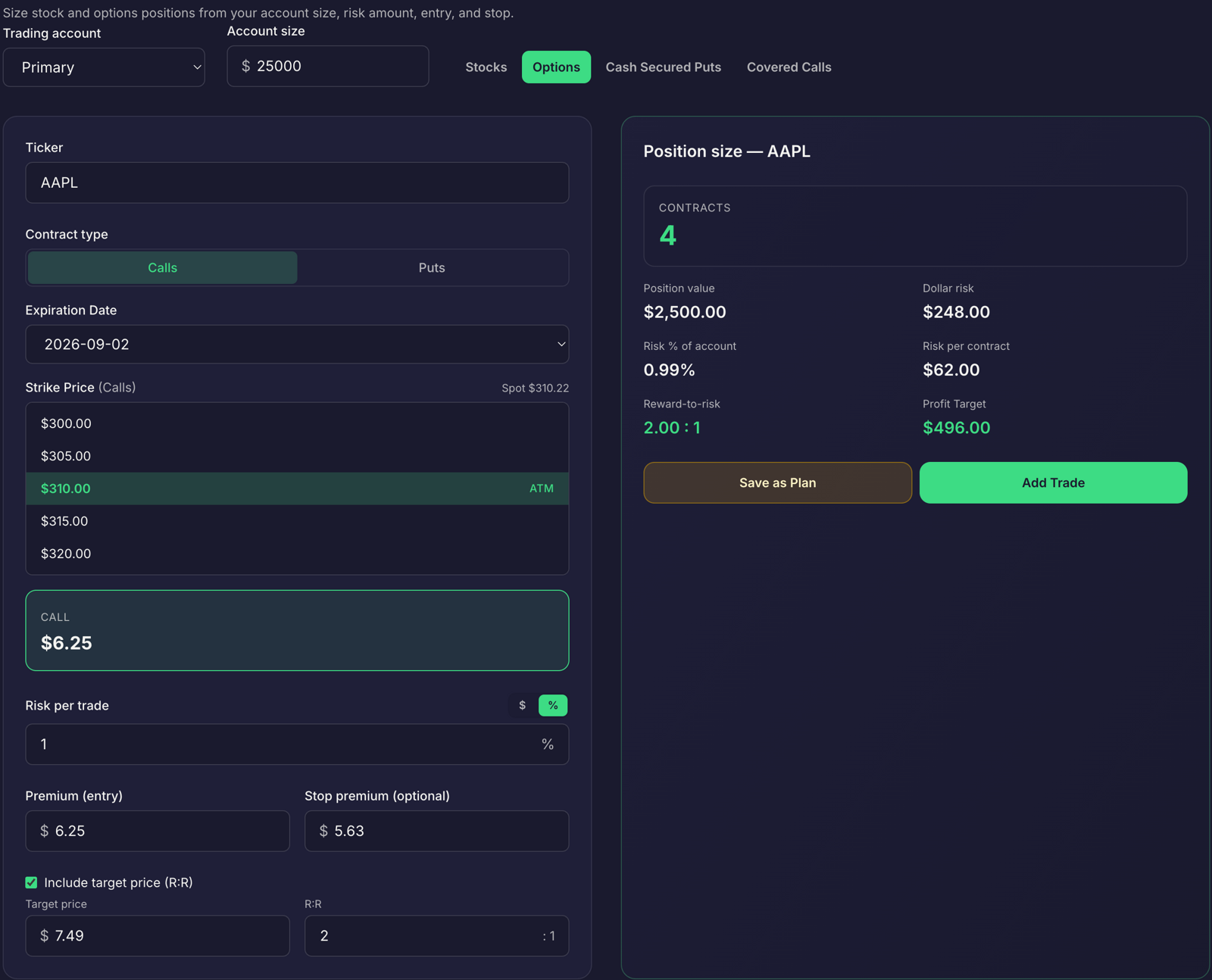
Position sizing turns a trade idea into a defined amount of exposure. If you currently choose a share or contract count by feel, a fixed risk rule gives you a repeatable starting point.
The 1% rule means planning to risk 1% of your account on a trade, not investing only 1% of your account. The position can be worth more than that. What matters is the estimated loss if your stop or defined-risk limit is reached.
This is a planning guideline, not a guarantee. Stops can fill at a different price, and options can change value quickly. Use the calculation to make your risk visible before you place an order.
Set a dollar risk limit first
Multiply your account value by the percentage you have chosen to risk.
Risk amount = account value × risk percentage
For a $25,000 account and a 1% risk limit:
$25,000 × 0.01 = $250
That $250 is the planned loss allowance for the trade. It is not the amount you put into the position. A different percentage may suit your plan, but choose it before you size the trade.
Also consider your open exposure. Several trades can share the same market or sector risk. Individual positions that each fit a 1% limit can still add up to substantial portfolio risk. Set a per-trade limit, then review the combined exposure.
Takeaway: Choose your risk percentage and check your existing exposure before calculating size.
Calculate stock shares from the stop distance
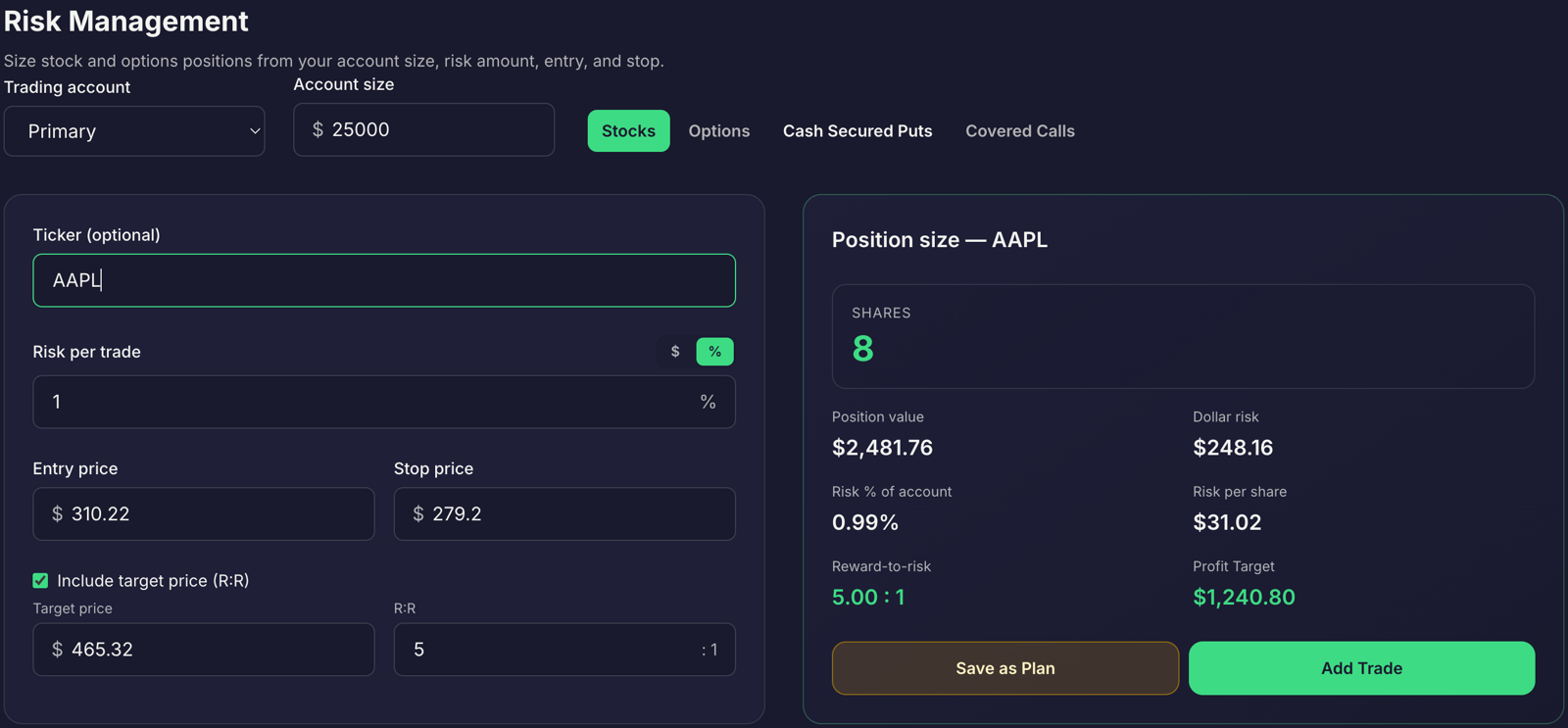
For a long stock position, subtract the stop price from the entry price to find the planned risk per share. Then divide your risk amount by that figure:
Shares = (account value × risk percentage) ÷ (entry price − stop price)
Example:
- Account value: $25,000
- Risk limit: 1%, or $250
- Entry: $48.20
- Stop: $46.20
- Risk per share: $48.20 − $46.20 = $2.00
- Position size: $250 ÷ $2.00 = 125 shares
The 125-share position has a purchase value of $6,025, but its planned loss to the stop is $250 before costs and slippage. That distinction is central: size the position from the loss you have defined, not from the amount of account capital you want to deploy.
Round down when the math does not produce a whole share. You can also account for commissions and possible slippage by adding a small allowance to the estimated risk per share. A stop price does not ensure an exact exit price, especially during a gap or fast market.
Takeaway: Define the setup’s stop first, then calculate shares from your per-share risk.
Size options using the contract’s real risk
Options require one more step: account for the contract multiplier. A standard U.S. equity option contract usually represents 100 shares, and its quoted premium is generally per share. Confirm the contract specifications, since adjusted and nonstandard contracts can differ.
For a long option, the premium paid is generally the maximum loss at expiration. If an option costs $1.20 per share, one standard contract costs:
$1.20 × 100 = $120
With a $250 risk limit, the premium-at-risk calculation allows $250 ÷ $120 = 2 whole contracts, for a total premium risk of $240 before costs. Three contracts would risk $360, which exceeds the limit.
If you plan to exit before expiration based on a stop in the option price, estimate the loss per contract from the difference between the entry and planned exit premium, multiplied by the contract multiplier. That estimate is not a guaranteed loss limit. Options can move sharply, and bid-ask spreads or gaps can affect your fill.
For a defined-risk spread, use its maximum loss per spread:
Credit spread maximum loss = (spread width − credit received) × multiplier
For example, a five-point-wide credit spread with a $1.20 credit has a maximum loss of ($5.00 − $1.20) × 100 = $380 per spread. That exceeds a $250 risk limit, so one spread does not fit that limit. With a $3-wide spread and a $1.00 credit, the maximum loss is ($3.00 − $1.00) × 100 = $200, which fits before costs. Size from the maximum loss, not the credit received.
For more on options risks and contract details, see FINRA’s options overview.
Takeaway: Calculate per-contract or per-spread loss before choosing a contract count.
Avoid sizing errors that change the plan
A position-size calculation only helps if the inputs reflect your actual trading rules. Watch for these common mistakes:
- Sizing from conviction: Feeling strongly about a setup does not reduce its risk. Apply the same risk calculation.
- Widening the stop to fit a larger position: The stop belongs to the setup. If the stop is wide, reduce the position.
- Ignoring the options multiplier: A $1.20 premium is usually $120 per standard equity contract, not $1.20.
- Treating a stop as a guaranteed maximum loss: Gaps, liquidity, and execution can produce a worse fill.
- Checking one trade but not the portfolio: Review combined exposure, especially across related positions.
If the setup cannot fit your risk limit at an appropriate size, passing on it is a valid process decision. Do not change the setup just to make the position count more appealing.
Takeaway: Keep your setup rules intact and adjust, or reject, the size.
Carry the calculation into a trade plan
Manual arithmetic or spreadsheets can help you work through the formula, but they require you to enter and update the figures correctly each time. Traders Tool Chest’s Risk Management calculator calculates a share or contract count from your account size, entry, and stop. You still choose the setup and review the result.
Trade Wizard carries sizing into a structured trade plan. It lets you review the entry, stop, target, reward-to-risk, and rule checks before placing an order. The calculation remains part of your plan rather than a number copied between disconnected notes.
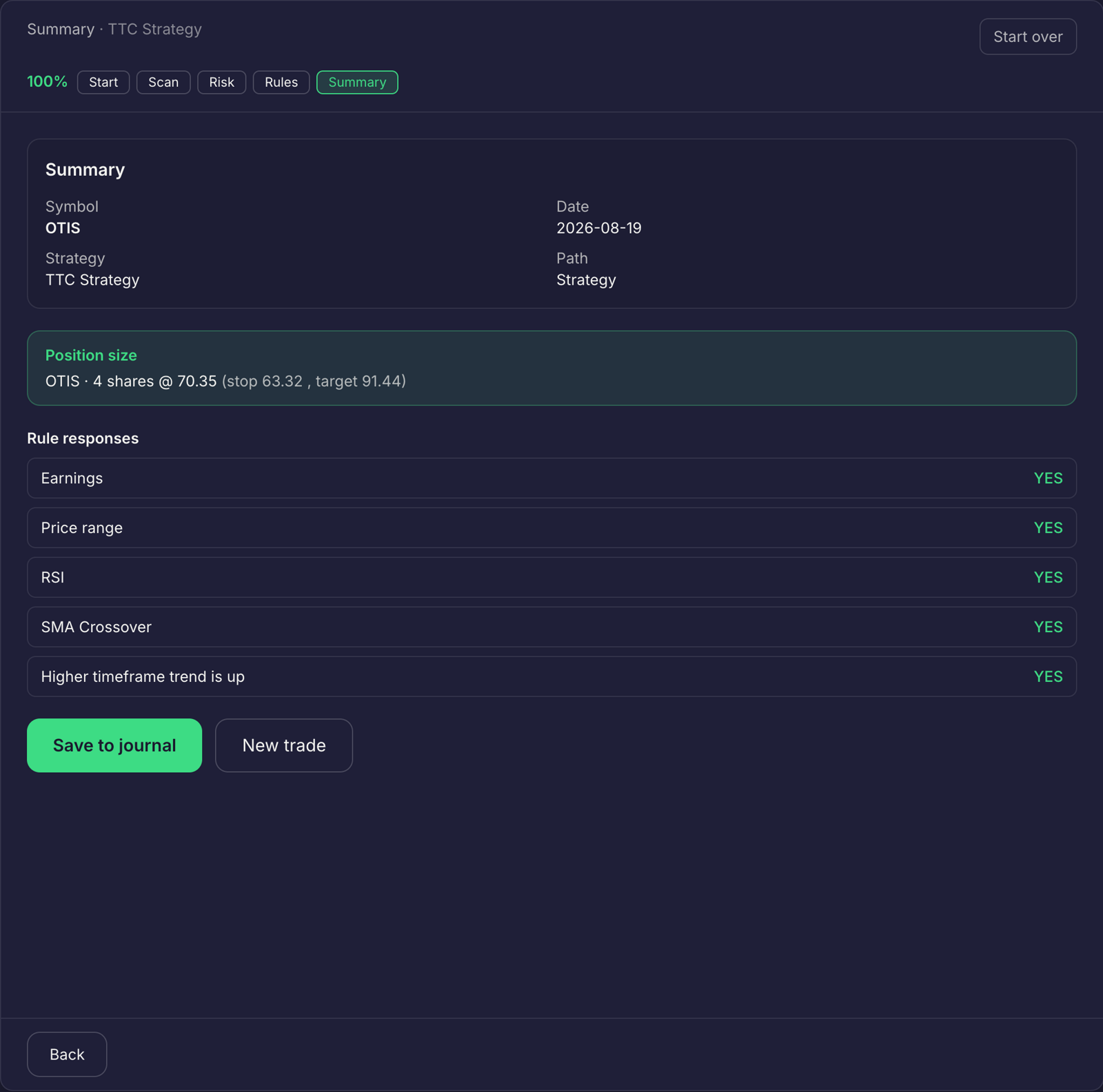
A consistent workflow connects the stages: define entry criteria, context filters, risk parameters, and exits in your saved Strategy; calculate size; verify the plan; then review the trade in your Journal. Journal Trade Replay and AI Insights help you compare actual execution with your strategy rules. Backtesting can evaluate saved rules against historical data, but historical results do not guarantee future performance.
Market data is roughly 15 minutes delayed. The platform is not built for scalpers or sub-minute execution. Orders are placed with your broker.
Takeaway: Use the same sequence for each trade: strategy, risk calculation, plan review, order with your broker, and journal review.
Plans and add-ons
Position sizing in Risk Management and Trade Wizard are core platform features, not add-ons.
- Pro: $60 per month.
- Premium: $120 per month. Full US market scans, CSP/CC planning, SPX Paychecks, and Wheel Tracker are included.
- Pro add-ons: Full US market scans, CSP/CC options-income planning, SPX Paychecks, and Wheel Tracker are each available for $30 per month as an add-on.
See the pricing page for current plan details. Choose a plan based on the parts of your workflow you need.
Frequently asked questions
Does the 1% rule mean I invest 1% of my account?
No. It means you risk 1% of your account per trade. If your stop is hit, the loss is about 1% of the account, while the position itself can be much larger.
How do I size an options trade with the 1% rule?
Calculate the full risk of the contract or spread, including the contract multiplier of 100 shares and the maximum loss on a defined-risk spread, then divide your risk amount by that per-contract risk.
What if my stop is too wide for 1% risk?
Reduce the position size until the dollar risk fits. Do not widen the stop to fit a larger size; the stop belongs to the setup, not to the size you want.
Does the Risk Management calculator place orders for me?
No. It calculates the exact share or contract count from your account size, entry, and stop loss. You review the plan and place the order with your broker. Market data is roughly 15 minutes delayed, so the platform is not built for scalpers or sub-minute execution.
Use the calculation as a process check
Position sizing makes your planned risk explicit. The 1% rule is one way to set a per-trade limit, but no percentage removes market risk. Define the setup, calculate the size, verify the plan, and review what happened afterward.
No tool guarantees profit. The calculator only does arithmetic based on the information you provide. Every trading decision remains yours.