
The Pre-Trade Checklist That Stops Revenge Trading
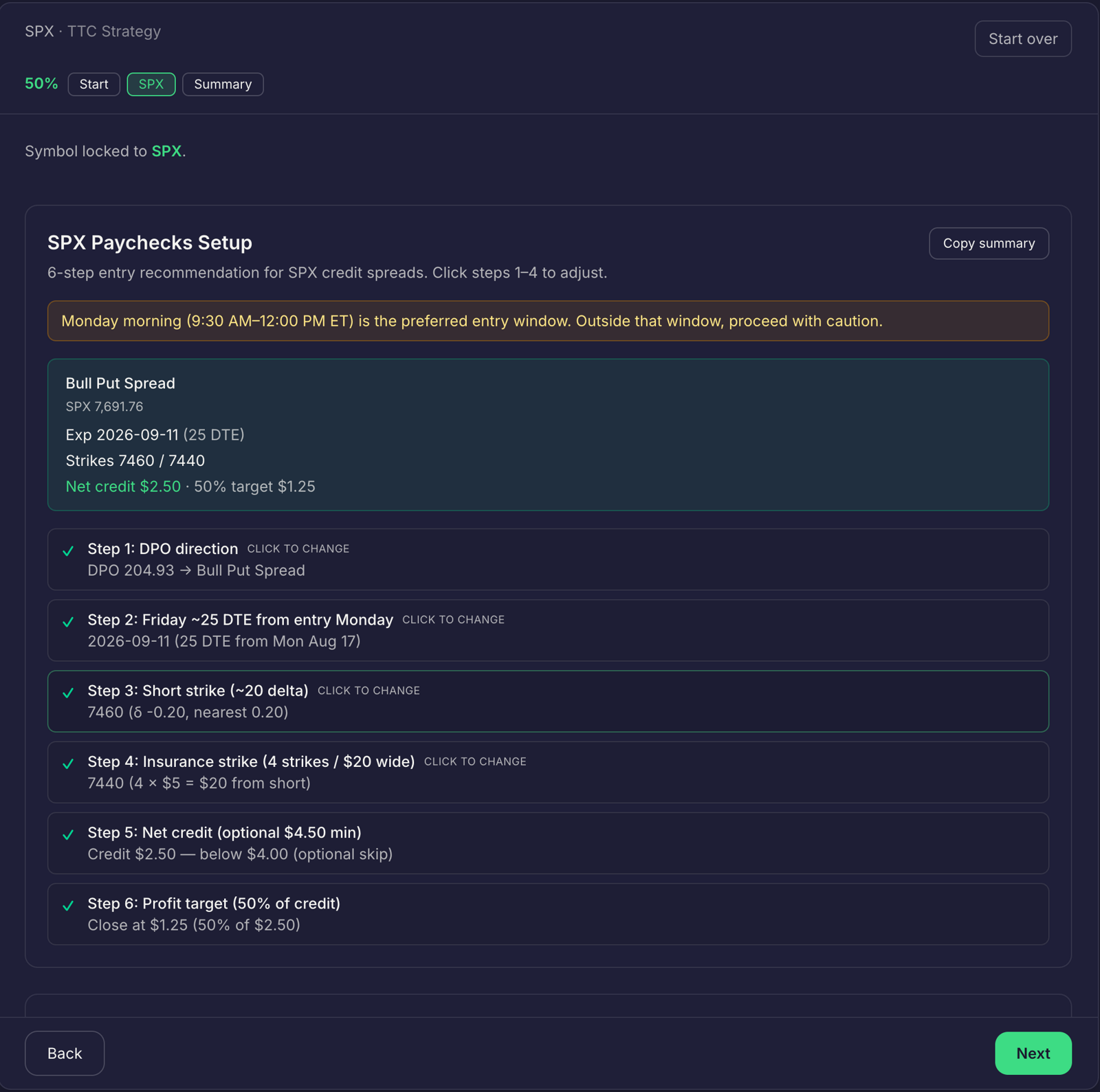
After a loss, the next order can feel like a way to get back to even. But re-entering to win back what you lost is not a new setup. It is a process failure: when no checklist stands between the loss and the next order, emotion fills the gap.
A written pre-trade checklist gives you a pause point. It makes you confirm the setup, risk, and relevant trading rules before committing to another position. The checklist does not remove uncertainty or guarantee a better result. It helps you keep one loss from changing the rules you set in advance.
Copy this pre-trade checklist
Complete each check before placing an order. Use a clear yes or no. If a required answer is no, do not take the trade.
- Confirm the setup: Does this trade match a saved strategy’s entry criteria and context filters? Answer yes or no, not “it looks close.”
- Calculate position size: Is the share or contract count based on your account, entry, and stop?
- Check reward-to-risk: Does the planned trade meet the minimum reward-to-risk ratio in your trading plan?
- Check earnings: Is there an earnings announcement inside the window covered by your earnings avoidance rules?
- Check your daily limit: Have you reached the maximum loss you set for the day? If yes, stop trading.
- Check for a re-entry: Did you recently stop out in the same direction? If yes, has your planned cooling period ended, and does the setup still qualify?
Write your own numbers and time windows into the plan before the session. Your minimum reward-to-risk, daily loss limit, earnings window, and cooling period should reflect your rules, not a decision made in the heat of a loss.
A checklist is useful only if a failed check changes what you do. Treat “no” as a stop sign, not a prompt to reconsider the rule.
Verify the rules before the order
The point of a trading rules checklist is not to create more paperwork. It is to move key decisions earlier, when you can make them calmly.
Before the order, define what would make the trade valid and what would make it invalid. Set the stop and calculate size before you focus on what the trade might earn. Then check whether the trade fits your risk limits and event rules. If you have been stopped out, make the cooling period part of the process. A stop-out alone is not a fresh signal.
This also makes your trade review checklist more specific. After the trade, you can compare what you planned with what you actually did. You are not just asking whether you made or lost money. You are checking whether you followed the plan.
Read how to create and configure a custom trading strategy to define your entry criteria, context filters, risk parameters, and exit conditions. Use those saved rules as the reference point for the setup check.
Use a trading plan template you can repeat
A trading plan template turns broad intentions into checks you can answer before you act. Copy this structure and fill in the blanks before trading:
> Setup: > Entry criteria: > Context filters: > Entry, stop, and exit conditions: > Position size calculation: > Minimum reward-to-risk: > Earnings avoidance window: > Daily loss limit: > Cooling period after a stop-out: > Same-direction re-entry rule:
Keep your earnings avoidance rules explicit. For example, write the window in which you will not open a new trade around earnings. Then check the relevant announcement before you commit. Do not assume a trade qualifies simply because the earnings date is inconvenient or because you want to recover a loss.
Be equally clear about re-entry. State whether you can take another trade in the same direction after a stop-out, what cooling period applies, and what conditions must be true when it ends. The rule should help you assess a new setup, not justify repeating the last trade.
Connect strategy, sizing, and journaling
A checklist works better when its information stays together. Traders Tool Chest connects strategy rules, planning, position sizing, and journal review in one workflow.
- Save the rules in Strategy. Define your entry criteria, context filters, risk parameters, and exit conditions. You can also start from a pre-built template.
- Verify the plan in Trade Wizard. The guided workflow handles instrument selection, risk/reward definition, position sizing calculations, and rule verification. It can push the plan directly to your journal.
- Size the position in Risk Management. Calculate the exact share or contract count from account size, entry, and stop loss.
- Review the trade in your Journal. Connect the outcome back to the strategy rules so you can compare the plan with your decisions.
- Scan the full market in Scanner. Scanner covers 10,000+ US tickers against your saved strategy rules. Full US market scans are available as a Pro add-on or included with Premium.
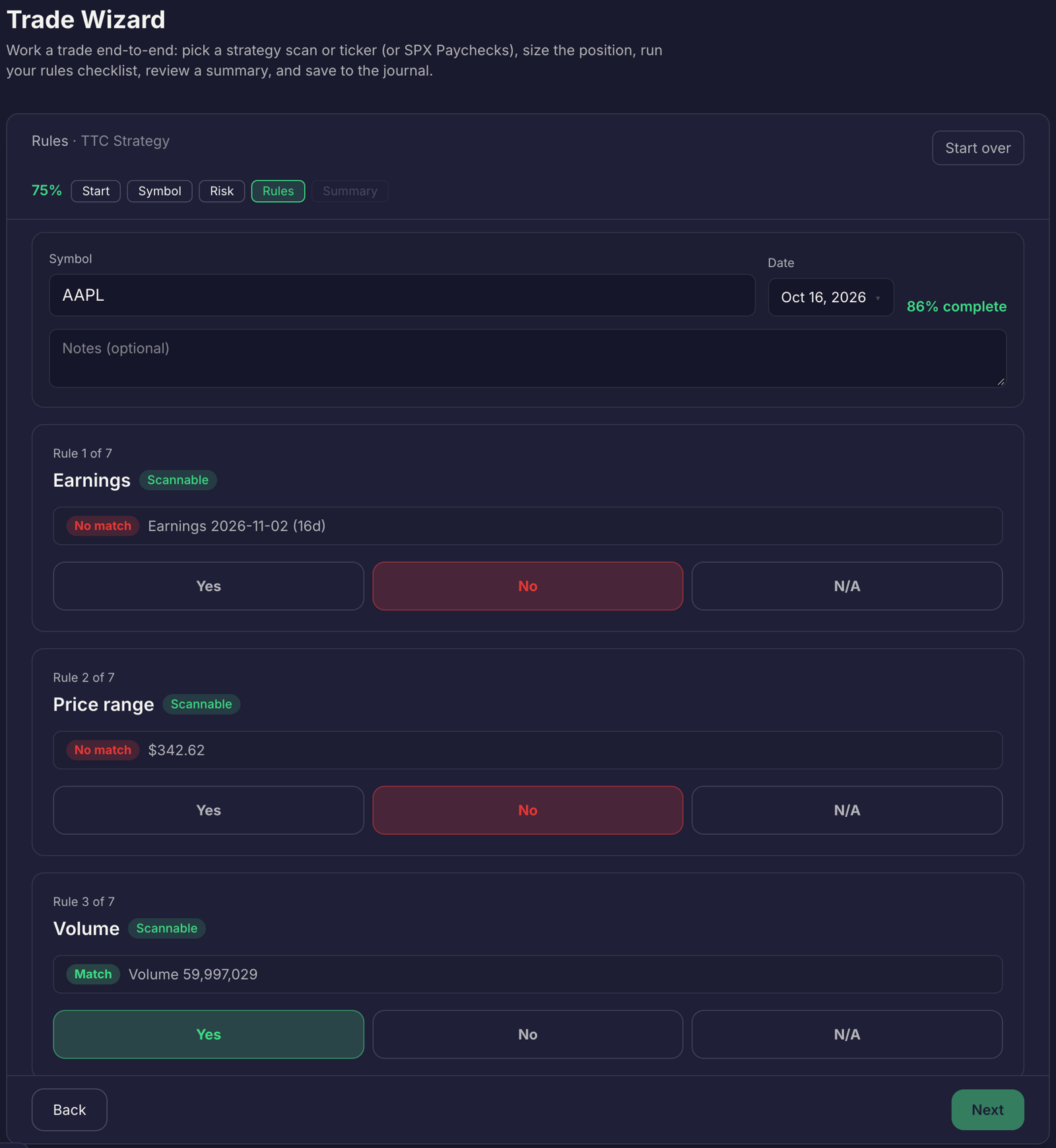
The checklist items still require your judgment. Define your own earnings window, daily loss limit, and cooling period. Do not assume every personal rule is automatically detected or enforced by the platform. Trade Wizard supports rule verification, while you remain responsible for confirming that the checks you need are represented in your workflow.
Traders Tool Chest market data is roughly 15 minutes delayed. It is not built for scalpers or sub-minute execution. You place orders with your broker; the platform supports planning and review around those orders.
For plan availability: Pro is $60/month and Premium is $120/month. Each Pro add-on costs $30/month or is included with Premium. The add-ons cover full US market scans, CSP/CC options-income planning, SPX Paychecks, and Wheel Tracker. The core workflow described here, Strategy, Trade Wizard, Risk Management, and Journal, is what you use to run the checklist.
Review behavior, then refine the checklist
After a trade, record whether you followed each check. If you re-entered too soon, exceeded your planned size, or ignored an earnings rule, note the point where the process broke down. Use that information to make the next version of your checklist clearer.
Journal AI Insights can help identify patterns such as oversizing and discipline drift. They can help you review journal activity, but they do not make the decision for you.
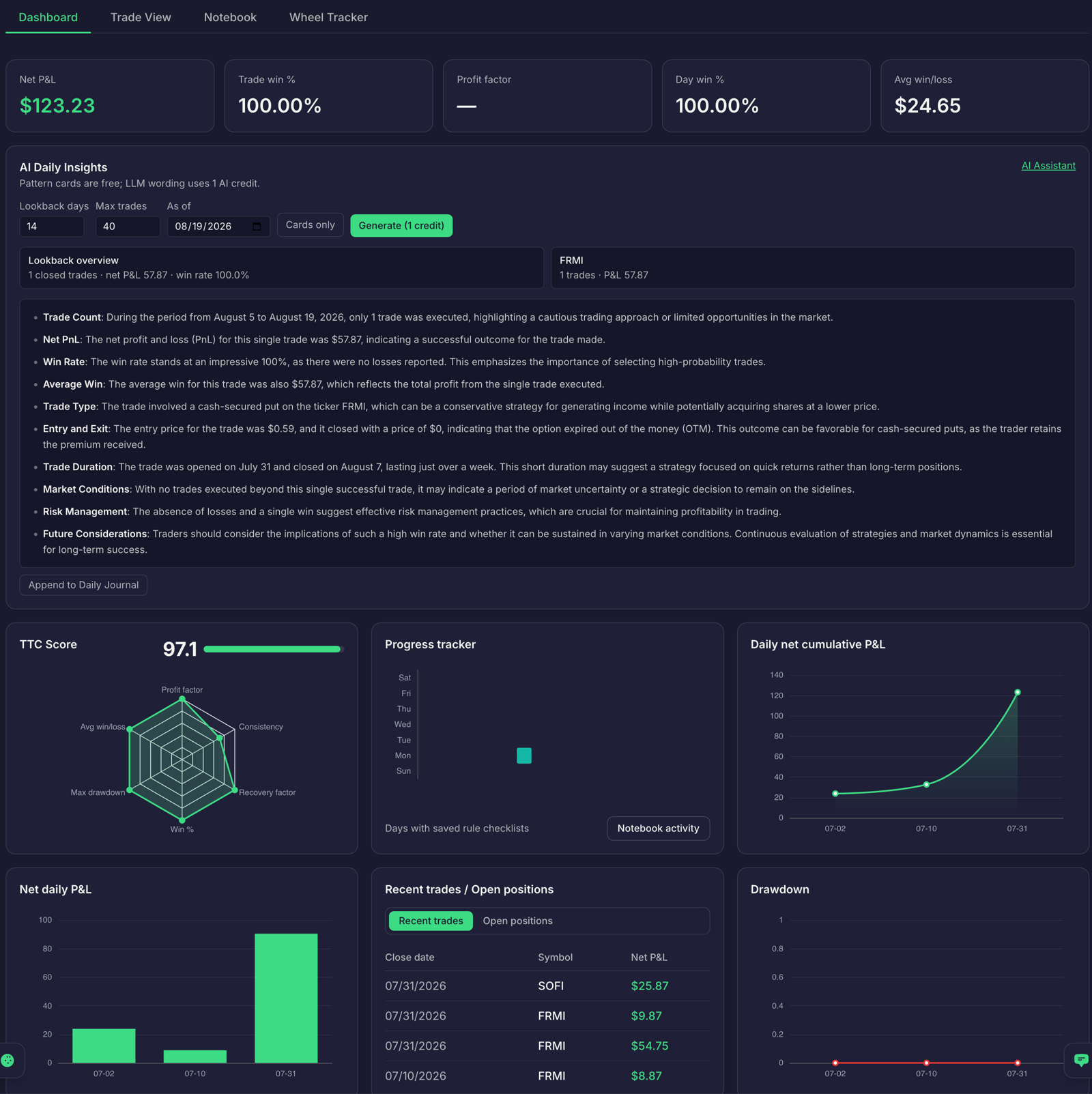
Use each review to adjust the checklist itself. If the same lapse repeats, make the rule more specific or make the relevant step harder to skip. Keep the original plan visible, and compare your next trade against it. For help with position sizing, see the Risk Management guide.
Start with one pause point
The next time a trade stops out, do not let the loss decide what happens next. Return to your checklist. Confirm the setup, size, reward-to-risk, earnings window, daily limit, and cooling period. If a required check fails, do not place the order.
No tool guarantees profit. Every trading decision remains yours, including whether to place or manage an order. Traders Tool Chest provides planning and review tools, not investment advice.
FAQ
Does a checklist stop revenge trading?
No checklist can remove emotion or guarantee that you will follow your rules. A checklist creates a clear pause before the next order and makes it easier to identify when a trade does not meet your plan.
What should I do after a stop-out?
Follow the cooling period and re-entry rule you wrote before trading. When the period ends, assess the trade as a new setup and run every checklist item again. A stop-out by itself is not a reason to re-enter.
Should I trade through an earnings announcement?
Follow your written earnings avoidance rules. Define the window before the session and check whether an announcement falls inside it. Do not treat an event trade as an exception unless your plan specifically allows it.
Does Traders Tool Chest place orders?
No. You place orders with your broker.