
How to Backtest a Strategy Before Earnings Season Wrecks It
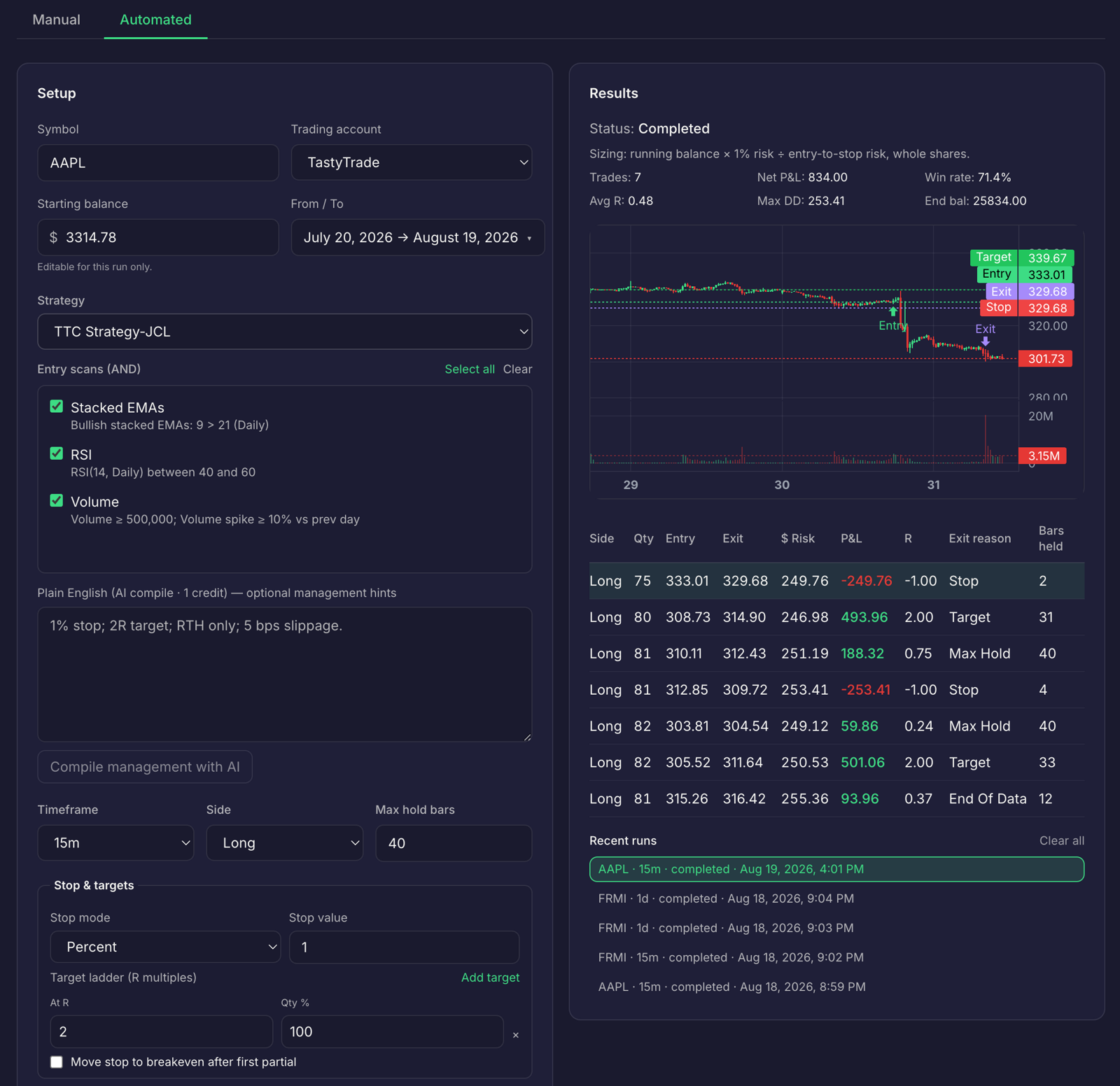
Q3 earnings season is underway. For swing and options traders, that means a strategy can behave differently around reports than it does on an ordinary trading day.
A backtest may look acceptable in aggregate while a smaller group of trades held through earnings drives a large share of the gains or losses. If your rules don’t account for report dates, you may be evaluating a strategy you don’t actually intend to trade.
Here’s how to define an earnings avoidance rule, test it against your strategy, and check whether you followed it. When learning how to backtest a strategy, include event exposure as a variable, not an afterthought.
See how earnings weeks change the results
An earnings report can move a stock before you have another chance to act. A position can open beyond its stop, so an assumed stop-price fill may not reflect a fill you could have received. That overnight gap can change a swing trade’s result, even if the setup followed your entry rules.
Options add another source of variation. Implied volatility often changes around a report. A long option can lose value as volatility falls, even when the stock moves in the expected direction. A premium-selling position can face a larger-than-expected move, along with assignment considerations. The effect depends on the position and its terms.
These events can inflate or deflate your overall win rate. A few outsized earnings winners may hide weak results on ordinary setups. A cluster of earnings losses may make a sound everyday setup look worse than it is. In either case, the aggregate number doesn’t tell you how the strategy performed on trades held through reports.
For more context, research on overnight returns after earnings announcements discusses how report-related moves can differ between overnight and intraday trading. For your own results, start by identifying which historical trades were open during the event window.
Define the rule before the report
An earnings avoidance rule should describe what you will do before a report, not what you wish you had done afterward. Write the rule into your strategy alongside its entry criteria, context filters, risk parameters, and exit conditions.
Choose a rule that matches the strategy you trade:
- Exit before the report: Close the position by a defined time or session before the announcement.
- Block new entries inside the window: Set a clear number of sessions before and after the report when new trades are not allowed.
- Filter by implied volatility: Define conditions for avoiding setups when implied volatility or the expected move exceeds your limits.
- Allow only defined-risk exposure: Specify the maximum risk you will accept if a position remains open through the event.
The right rule may differ by strategy type. Momentum setups often need a direct response to gap risk: close ahead of the report or exclude entries near it. Covered calls and cash-secured puts need rules that address assignment and volatility dynamics, as well as the possibility of a sharp move in the underlying. A rule that fits one playbook may not fit another.
Keep the rule specific enough to test. “Avoid earnings risk” is not operational. “No new entries within two sessions of a confirmed report” gives you a condition you can check, provided you have a reliable date and your test can represent it.
Test the strategy with and without the filter
Run two comparable tests. Keep the entry rules, exits, risk parameters, and test period the same. Change only the earnings condition. Then compare:
- Win rate: Did the share of winning trades change?
- Expectancy: Did average results per trade improve or weaken?
- Drawdown: Did the filter change the size or duration of losing stretches?
- Equity curves: Did the filtered test produce a meaningfully different path over time?
Use the same data assumptions in both tests. If one version assumes fills at a stop price through a gap and another uses a different fill assumption, the comparison won’t isolate the earnings rule.
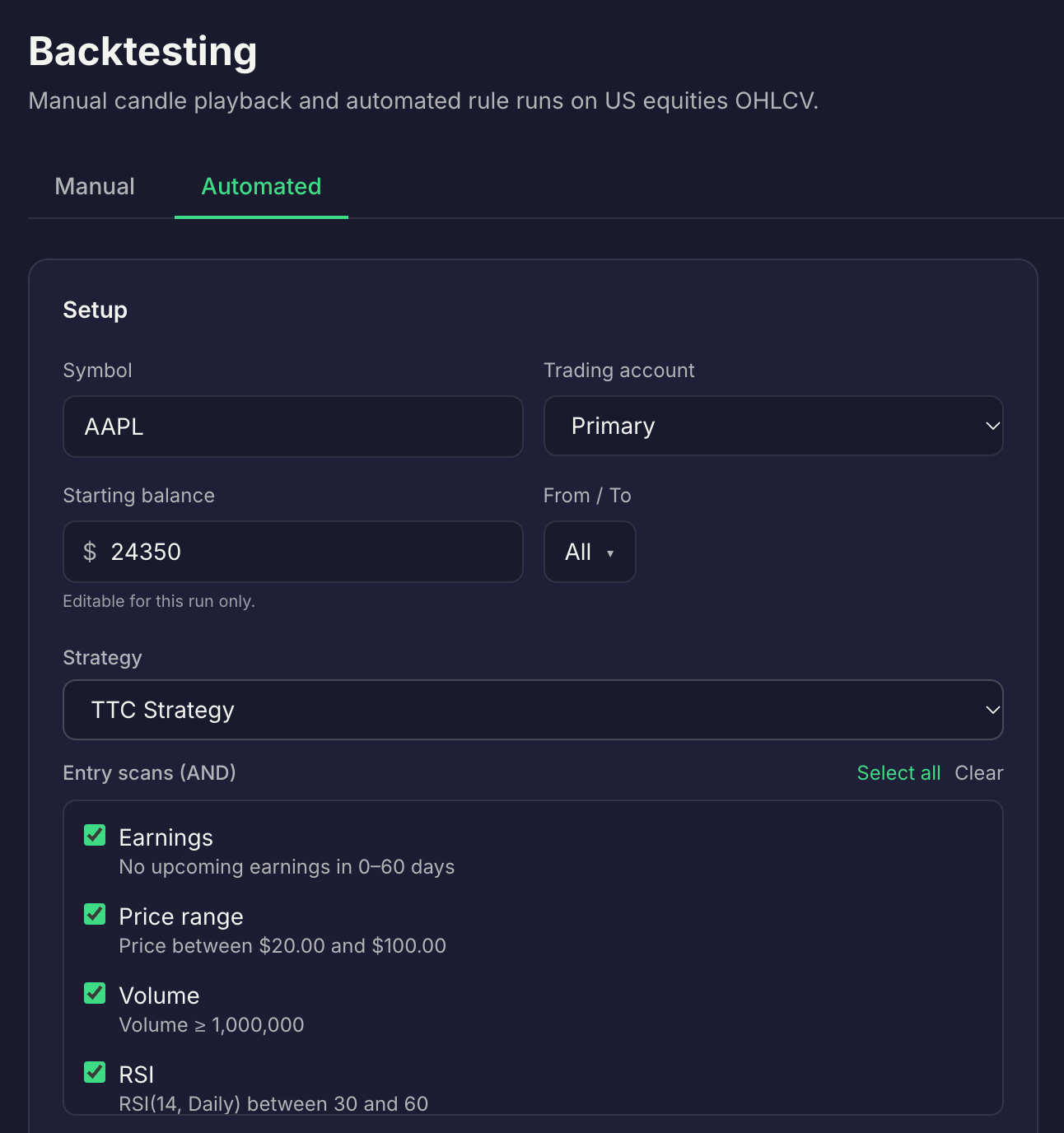
TTC’s backtesting engine tests your exact saved strategy rules against historical market data. The Pro plan is $60/month and includes backtesting.
Be precise about what the test can represent. TTC does not claim to automatically identify or verify earnings dates for you. Confirm report dates with your broker or an earnings calendar. If your available strategy rules can express the event window, save and test a baseline version and a filtered version. If they cannot, don’t label the result an automated earnings-filter backtest. Test the saved rules, then separately identify earnings-exposed trades using a reliable historical calendar.
For options strategies, don’t assume a test captures every effect of implied volatility, assignment, or option pricing unless those details are represented in the test inputs. Treat the comparison as evidence about the rules and data it actually tests, not proof that every event risk is modeled.
To learn more about testing saved rules, see how to backtest the strategy you actually trade.
Check whether your trades followed the rule
A tested rule only helps if you apply it consistently. After the report, review your actual trades against the dates and conditions you wrote down.
Use a trade review checklist for each event-exposed position:
- Confirm the report date and whether the position was open during the window.
- Compare the trade with your written rule: did you exit, hold, or enter as planned?
- Record the result and any gap between the expected and actual execution.
- Separate earnings-exposed trades from ordinary setups when reviewing performance.
- Note whether a rule breach or an allowed trade explains the result.
TTC’s Journal connects trades back to strategy rules. Trade Replay and AI Insights support your review of recorded activity, so you can look for patterns such as repeated earnings-week losses or entries that didn’t follow your process. A journal can help you see adherence; you still need to confirm the event date and decide what to change.
If you trade income strategies, keep assignment and position details in view as part of that review. TTC’s CSP/CC options-income planning is a $30/month add-on to Pro or included with Premium at $120/month. Wheel Tracker has the same plan availability. See TTC pricing for plan details.
Use a pre-earnings-week checklist
Before each week with relevant reports, work through a short trading rules checklist. Complete it before placing or managing a trade.
- Check the report date and timing with your broker or a current earnings calendar.
- Identify open positions that may still be held through the announcement.
- Apply your written rule for exits, blocked entries, or allowed exposure.
- Confirm the position’s risk and any assignment considerations before acting.
- Record the decision and review it against the rule after the event.
This checklist puts the decision in front of the trade, where it belongs. It also gives you a consistent record to compare with your backtest.
TTC can connect saved strategies, planning, and journaling in one workflow. The Scanner finds setups that match saved rules; full US market scans across 10,000+ tickers are a $30/month add-on to Pro or included with Premium. Market data is roughly 15 minutes delayed, so TTC is not built for scalpers or sub-minute execution. Orders are placed with your broker.
Frequently asked questions
Should I backtest my strategy separately during earnings season?
Yes. Run the same saved rules with and without an earnings filter and compare win rate, expectancy, drawdown, and equity curves. Confirm that your data and test method can represent report dates; if they cannot, identify earnings-exposed trades separately rather than treating the result as an automated filter test.
Do I need an earnings avoidance rule for covered calls and cash-secured puts?
Yes, but the rule looks different. You are managing assignment risk and implied-volatility dynamics, not just gap risk. Define what you will do before a report and review whether you followed that rule afterward.
Does Traders Tool Chest know when a company reports earnings?
Yes. TTC data includes corporate earnings dates if available. The Scanner and backtesting engine run on your saved rules against historical market data, which is roughly 15 minutes delayed. Confirm exact earnings dates with your broker or an earnings calendar before relying on them.
A plain disclaimer
No tool guarantees profit. Historical results do not guarantee future results. Every decision remains yours.