
7 Mistakes You're Making with Your Trading Journal (and How to Fix Them)
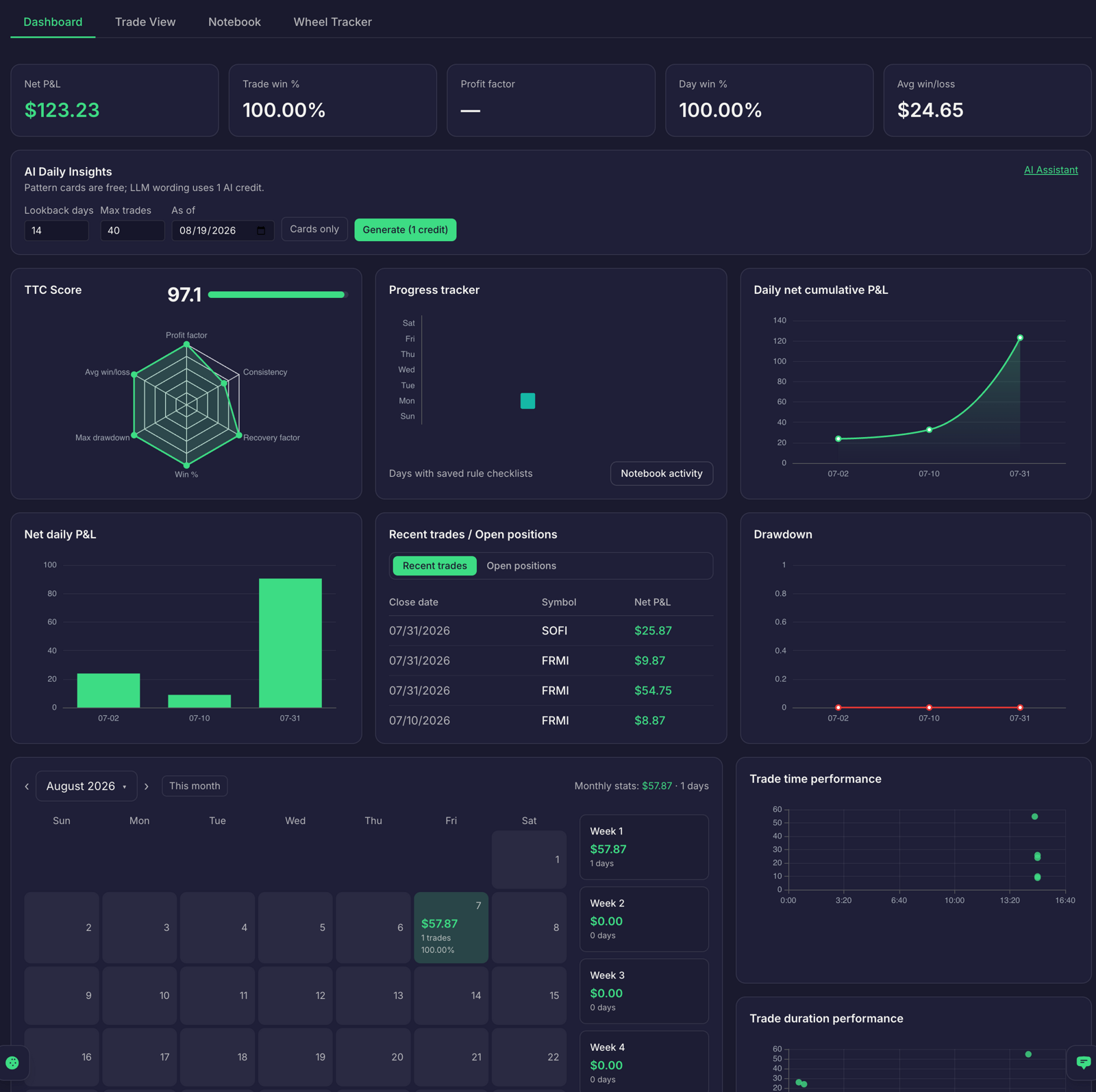
A journal can hold every trade you take and still tell you very little. That usually happens when it records the outcome but not the plan, setup, risk, and decisions behind it.
A useful trade journal helps you compare intention with execution, find patterns across a meaningful sample, and decide what to review next. Here are seven common mistakes, and a practical fix for each.
1. Logging trades after the fact, without the plan
If you enter a trade after it closes, your journal may capture the fill and profit or loss. But it cannot reliably tell you whether you followed your original plan. Your memory can also shift once you know the outcome.
Fix it: Write down the setup, entry, stop or defined risk, position size, and exit conditions before you place an order. After the trade, record what actually happened. Then compare plan with execution.
That comparison helps separate a planned loss from a process error, and a profitable trade from a trade that only worked by chance.
Traders Tool Chest’s Trade Wizard turns a setup into a structured plan and sends it to the Journal. Stock planning is available in Free; stock and options planning are available in Pro and Premium.
2. Tracking only profit and loss
A P/L figure tells you the result. On its own, it does not tell you which setup you traded, why you entered, where your risk sat, or how large the position was.
Without those details, it is difficult to compare like with like. A strong result from one setup may hide repeated problems in another.
Fix it: Record the context that makes the trade reviewable:
- Identify the strategy and setup.
- Write the entry trigger and relevant context.
- Record the stop, defined risk, and position size.
- Note your exit reason and whether you followed the rules.
Keep the fields consistent across trades. That gives you a better basis for comparing your process over time.
3. Recording options trades as one P/L number
Options positions can involve multiple legs and more than one stage. A roll closes one position and opens another. Assignment can turn a short option into a stock position. Premiums can affect your view of adjusted cost basis across a Wheel cycle.
If your options trading journal records only the final P/L, it may lose the details needed to understand what happened along the way.
Fix it: Keep the legs and lifecycle events visible. Record the contracts, strikes, expirations, fills, adjustments, and any assignment. Link related steps so you can review both the individual trades and the larger campaign.
For short American-style options, assignment can occur while the position remains open. The Options Industry Council explains assignment mechanics and common considerations.
Traders Tool Chest’s Wheel Tracker connects Wheel-cycle activity and adjusted cost basis. It is a $30/month Pro add-on and is included with Premium. The separate CSP/CC planning add-on is also $30/month on Pro and included with Premium. Review the current plan details for inclusions.
4. Reviewing too rarely
When you log trades but never review them, the journal can become a diary. Notes may be useful to revisit, but they do not automatically show which setups perform differently or where your process slips.
Fix it: Set a regular review time. Once a week, reconcile your records, group trades by setup, and inspect the largest gains, losses, and rule deviations. End with one specific process question to investigate during the next week.
Keep the review small enough to repeat. A brief, consistent session is more useful than an ambitious review that keeps getting postponed.
5. Ignoring discipline data
A trade journal can show whether you took a valid setup. It should also help you notice how you managed risk and followed your own rules.
Oversized positions, revenge trades, and early exits may not stand out in a list of P/L figures. But they can matter when you compare trades across a sample.
Fix it: Add a simple adherence check to each trade. Note whether you sized within your plan, followed your entry criteria, and used the planned exit. During review, compare trades where you followed your rules with those where you did not.
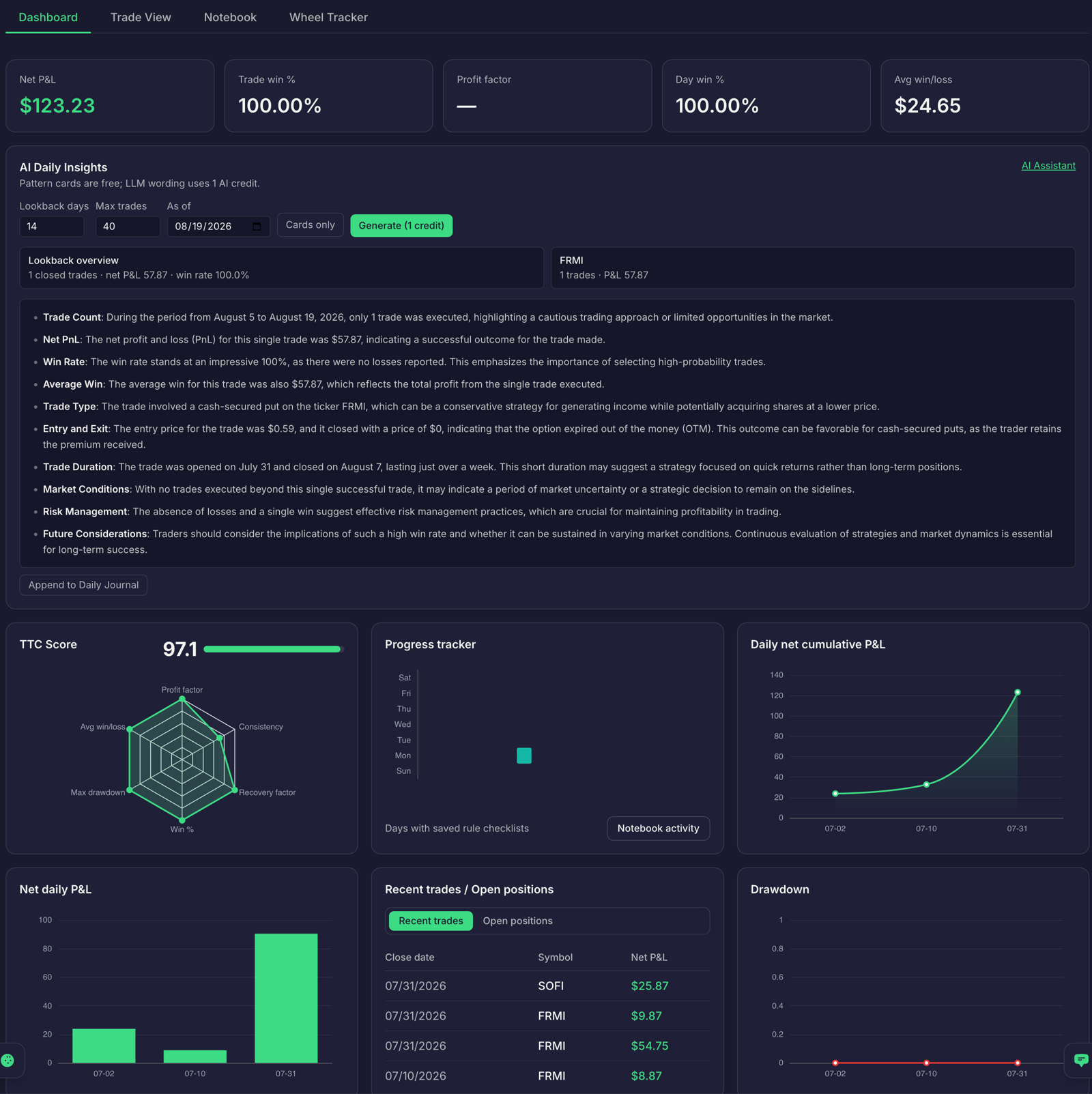
Traders Tool Chest’s Journal connects trades to their initial strategy rules. Its Trade Replay and AI Insights features can support review, including surfacing patterns such as oversizing and discipline drift. Trade Replay and AI Insights are available on Pro and Premium. Treat any insight as a prompt to inspect your records, not as a trading instruction.
6. Judging every journal by win rate
Win rate is easy to understand, but it does not show how large your average wins and losses are. A trader can win often and still lose money if the losing trades outweigh the winners.
Expectancy and R-multiples help put outcomes in context. One R represents the amount you planned to risk on a trade. A +2R result is twice that risk; a −1R result equals it.
Fix it: Review your win rate alongside average win and loss in R, and calculate expectancy:
Expectancy = (win rate × average win in R) − (loss rate × average loss in R)
For example, a 40% win rate, average winners of +2R, and average losers of −1R gives an expectancy of +0.2R per trade before costs. It is a measure of the sample, not a promise about future results. See our guide to backtesting the strategy you actually trade for more on evaluating expectancy and risk.
7. Keeping your journal separate from your trading workflow
When your strategy rules, scanner, risk calculator, trade plan, and journal sit in separate tools, you may end up copying details between them. A spreadsheet can work for manual tracking, but updates and plan details still depend on you entering and maintaining them.
Fix it: Connect the stages where possible. Define your rules once, use them to find or evaluate setups, size a plan, and carry the plan into your journal. Then review the result against the original rules.
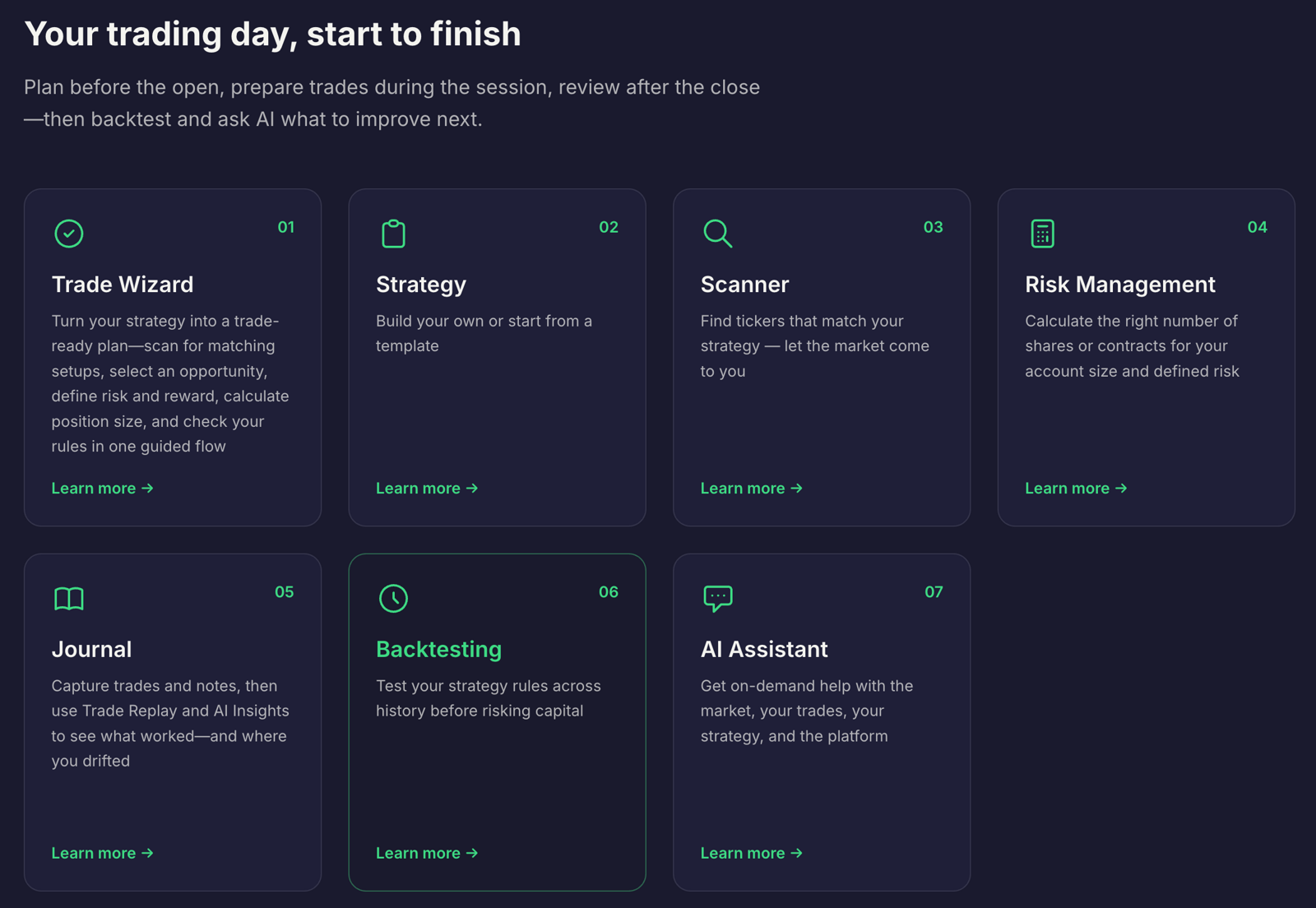
Traders Tool Chest connects Strategy, Scanner, Risk Management, Trade Wizard, Journal, and Backtesting so that information can stay together across the workflow. Broker syncing through SnapTrade can reduce manual logging; broker and account availability may vary.
Full US market scans across 10,000+ tickers are a $30/month Pro add-on and are included with Premium. Market data is roughly 15 minutes delayed, so Traders Tool Chest is not built for scalpers or sub-minute execution. Orders are placed with your broker.
Fix your journal this week
- Choose one strategy or setup to review.
- Record your entry criteria, planned risk, and size before your next trade.
- Log the actual fills, management decisions, exit, and rule adherence.
- Add the relevant legs and lifecycle events for options trades.
- Set a recurring weekly time to review P/L, R-multiples, and discipline.
- Pick one process detail to track consistently next week.
If you want your planning and review in one connected workflow, compare the Traders Tool Chest plans. Pro is $60/month; Premium is $120/month and includes the listed Pro add-ons.
Frequently asked questions
What should you record in a trading journal?
Record the strategy, setup, entry criteria, planned risk, position size, actual fills, exit reason, and whether you followed your rules. For options, also record relevant legs, adjustments, rolls, and assignments.
Is win rate enough to evaluate a trade journal?
No. Win rate does not show the relative size of wins and losses. Review it alongside expectancy and R-multiples, and consider costs when assessing results.
Can a journal help you review options trades?
Yes, if it preserves the position details and lifecycle. Track the legs, adjustments, rolls, and assignments so you can review more than the final P/L. Traders Tool Chest’s Wheel Tracker is a $30/month Pro add-on and is included with Premium.
Does Traders Tool Chest place orders or provide real-time data?
No. You place orders with your broker. Market data is roughly 15 minutes delayed.
Disclaimer: No journal or trading tool guarantees profit. Traders Tool Chest provides software, not investment advice or a recommendation to buy or sell securities. You remain responsible for every decision and position.